Subscription Plans
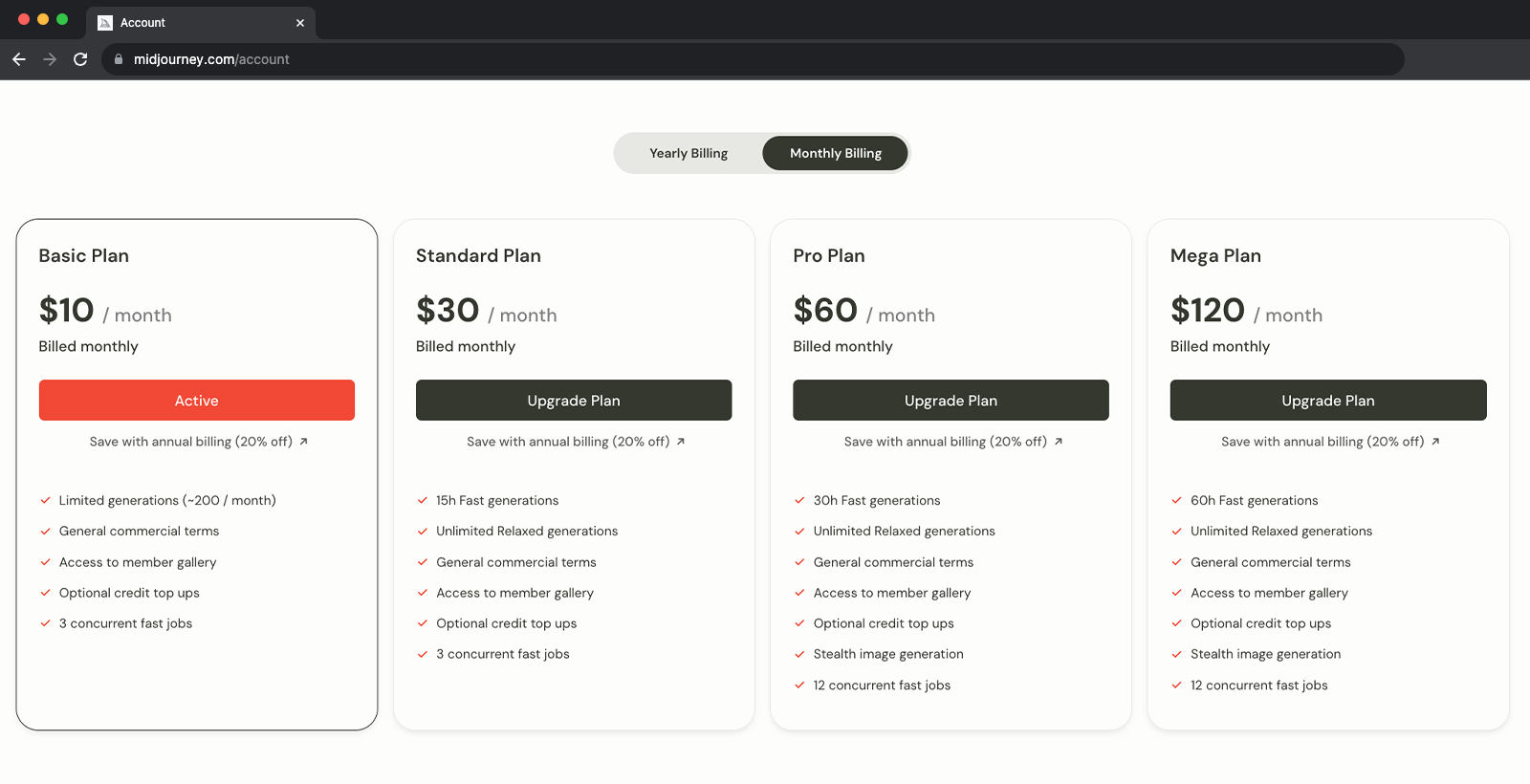
Midjourney has three subscription tiers. Pay month-to-month or for the entire year for a 20% discount. Each subscription plan includes access to the Midjourney member gallery, the official Discord, general commercial usage terms, and more.
How to Subscribe
Use the /subscribe command to generate a personal link to the subscription page.
Or, go to Midjourney.com/account.
Or, select Manage Sub from the sidebar while logged into the Midjourney website.
Billing and Subscription Help
For billing and subscription questions, please visit help.midjourney.com.
| Basic Plan | Standard Plan | Pro Plan | Mega Plan | |
|---|---|---|---|---|
| Monthly Subscription Cost | $10 | $30 | $60 | $120 |
| Annual Subscription Cost | $96 ($8 / month) | $288 ($24 / month) | $576 ($48 / month) | $1152 ($96 / month) |
| Fast GPU Time | 3.3 hr/month | 15 hr/month | 30 hr/month | 60 hr/month |
| Relax GPU Time | - | Unlimited | Unlimited | Unlimited |
| Purchase Extra GPU Time | $4/hr | $4/hr | $4/hr | $4/hr |
| Work Solo In Your Direct Messages | ✓ | ✓ | ✓ | ✓ |
| Stealth Mode | - | - | ✓ | ✓ |
| Maximum Concurrent Jobs | 3 Jobs 10 Jobs waiting in queue | 3 Jobs 10 Jobs waiting in queue | 12 Fast Jobs 3 Relaxed Jobs 10 Jobs in queue | 12 Fast Jobs 3 Relaxed Jobs 10 Jobs in queue |
| Rate Images to Earn Free GPU Time | ✓ | ✓ | ✓ | ✓ |
| Usage Rights | General Commercial Terms* | General Commercial Terms* | General Commercial Terms* | General Commercial Terms* |
- If you have subscribed at any point, you are free to use your images in just about any way you want. You must purchase the Pro or Mega plan if you are a company making more than $1,000,000 USD in gross revenue per year. For complete details, please see the Terms of Service
Go to https://www.midjourney.com/account/ or use the /subscribe command to generate a link to the subscription page.
Don’t Share Your Link
The generated link is unique for each account and should never be shared with others!
Only payment methods supported by Stripe are currently accepted: credit or debit cards issued by services like Mastercard, VISA, or American Express. Stripe is a PCI Service Provider Level 1, the most stringent level of certification available in the payments industry. Google Pay, Apple Pay, and Cash App Pay are available in some regions. PayPal, wire transfer, and similar methods are not supported.
Manage your subscription plan at https://www.midjourney.com/account/.
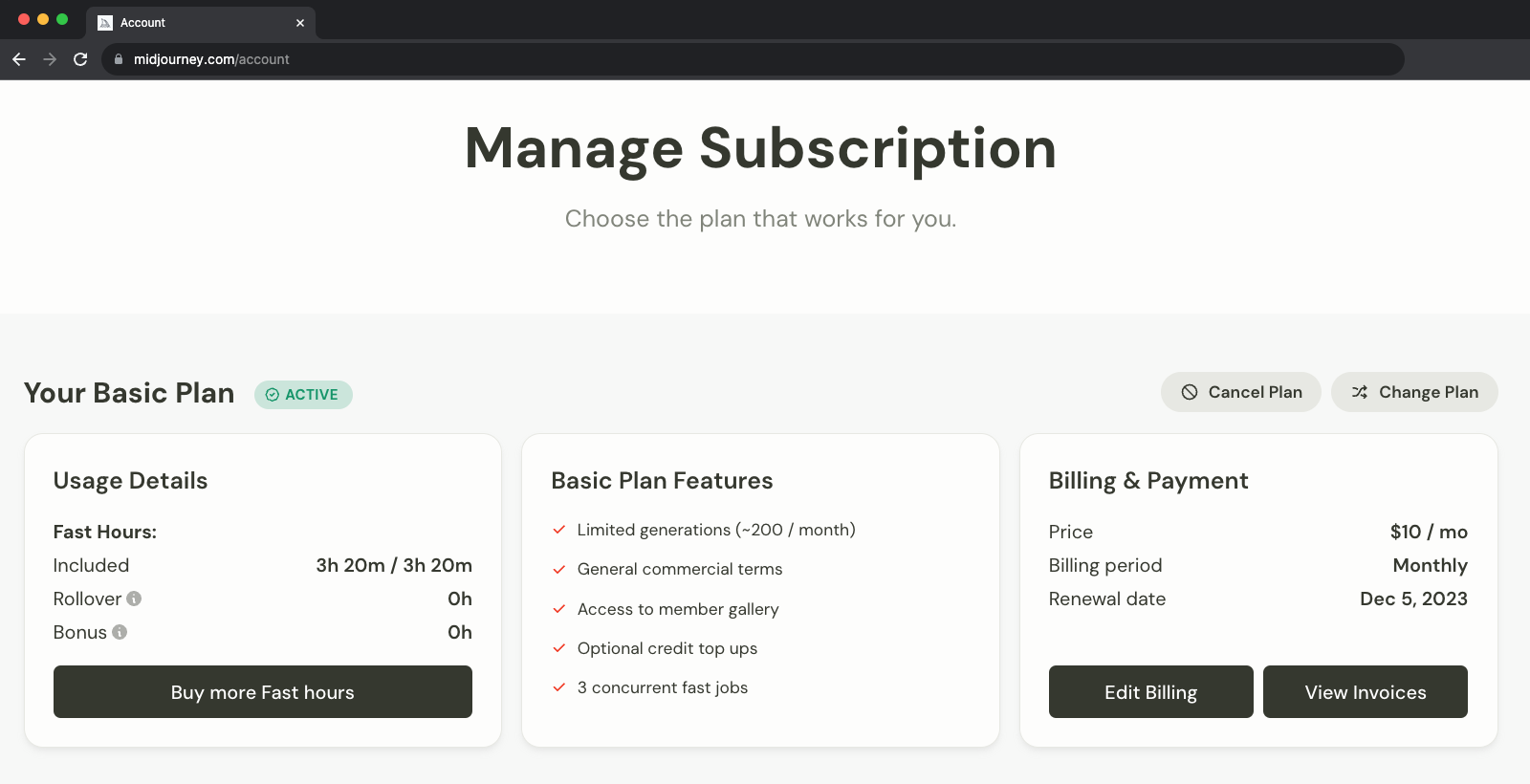
- Unused monthly Fast GPU time does not roll over.
- Fast mode is automatically reactivated when the subscription renews.
Upgrade your plan at any time. When upgrading, you may choose whether the upgrade should be effective immediately or at the end of the current billing cycle. If you choose to upgrade immediately, you will be offered a prorated price based on the usage of the plan you are upgrading from. Downgrades are always effective at the end of the current billing cycle.
Proration?
Unused Fast GPU Time is credited towards your account when you choose to upgrade immediately. If a Basic subscriber upgrades immediately without using any GPU time, they receive a $10 credit towards their new plan. If a Standard subscriber upgrades after using 50% of their Fast GPU time, they receive a $15 credit towards their new plan.
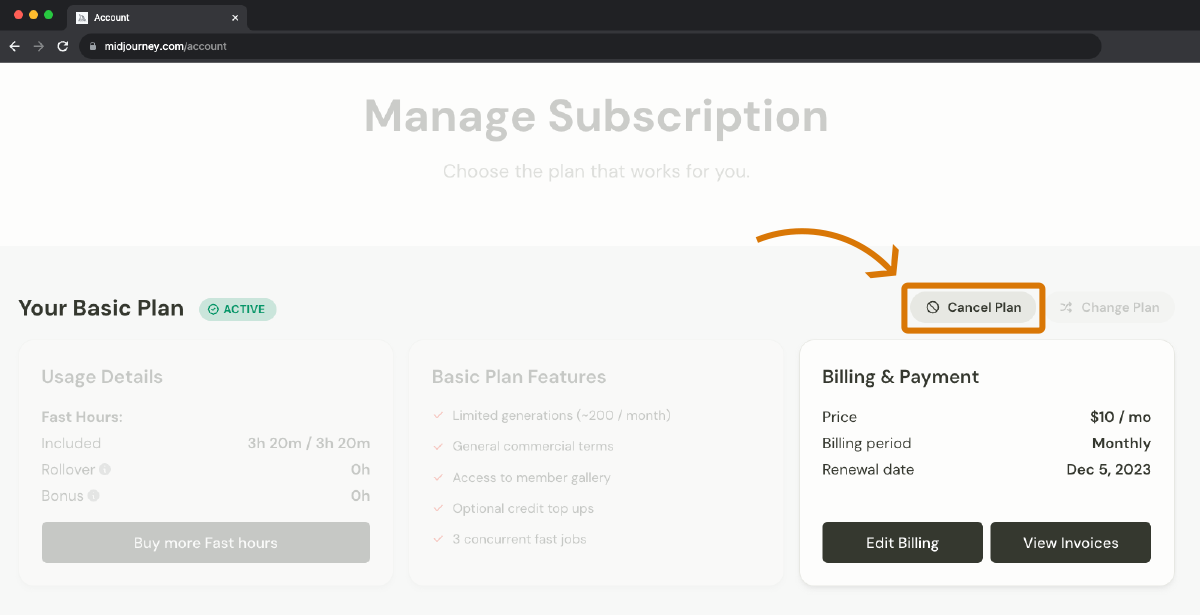
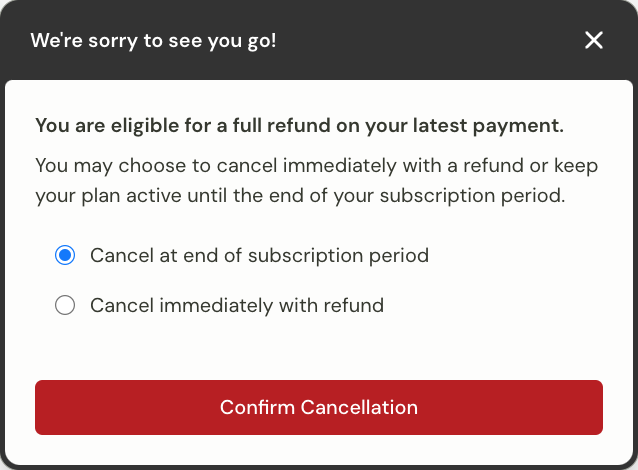
Go to https://www.midjourney.com/account/ to cancel a subscription at any time. Cancellations are effective at the end of the current billing cycle. Subscription benefits like access to the community gallery and the bulk download tool are available until the end of the current billing cycle.
Generated images are not deleted when a user cancels their subscription. Resubscribe to a plan at any time by visiting https://www.midjourney.com/account/.
Refunds are available for subscribers who have used less than 20 GPU minutes, including time used in Relax Mode. If you are eligible for a refund, the dialog box will automatically pop up when you click to cancel your account.
Run out of Fast GPU and want to buy more before your monthly subscription renews? You can purchase additional Fast GPU hours for $4/hr. Hourly Prices are experimental and subject to change.
Purchase more Fast GPU hours on your Midjourney account page.
Purchased Fast GPU hours do not expire, but you must have an active subscription to use them.
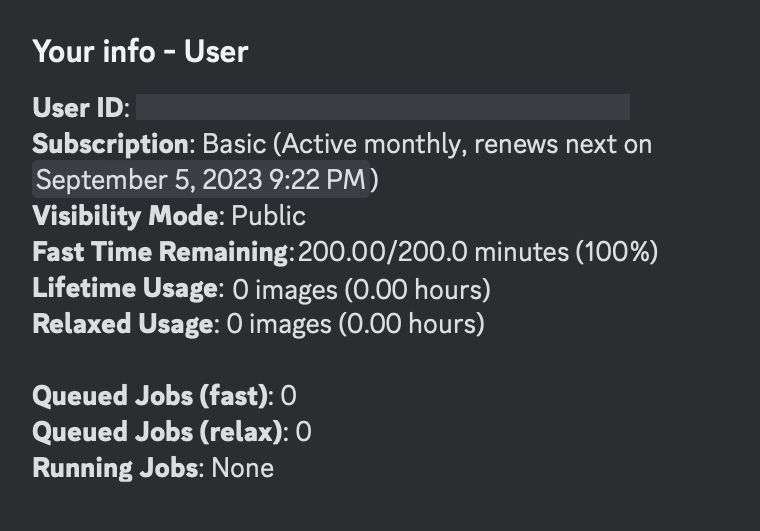
Use the /info command to view information about your account, including how much Fast time is left for the subscription period, lifetime usage stats, the number of queued or running jobs, and the subscription renewal date.