
Video
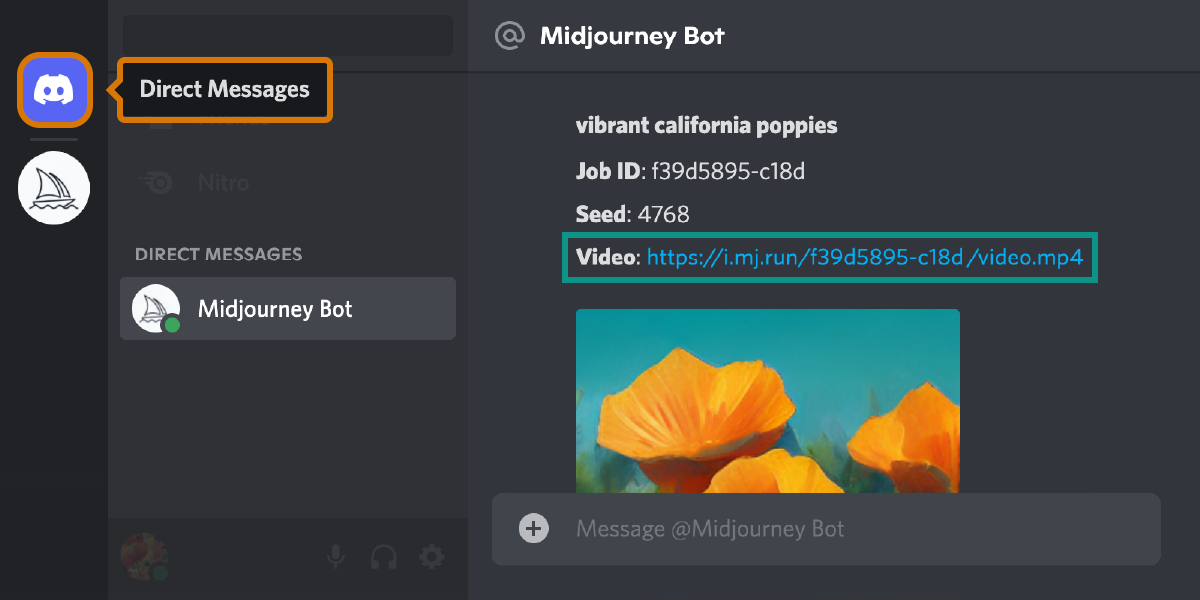
Use the --video parameter to create a short movie of your initial image grid being generated. React to the finished job with the envelope ✉️ emoji to have the Midjourney Bot send a link to the video to your Direct Messages.
--video only works on image grids, not upscales.
--video works with Model Versions 5, 5.1, 5.2, and niji 5.
--video works with Legacy Model Versions 1, 2, 3, test, and testp.
Vibrant California Poppies
Botanical Sketch of Fanciful Ferns
Prompt example: /imagine prompt Vibrant California Poppies --video
1 Add --video to the end of your prompt.
2 Once the Job has finished, click Add Reaction
3 Select the ✉️ Envelope emoji.
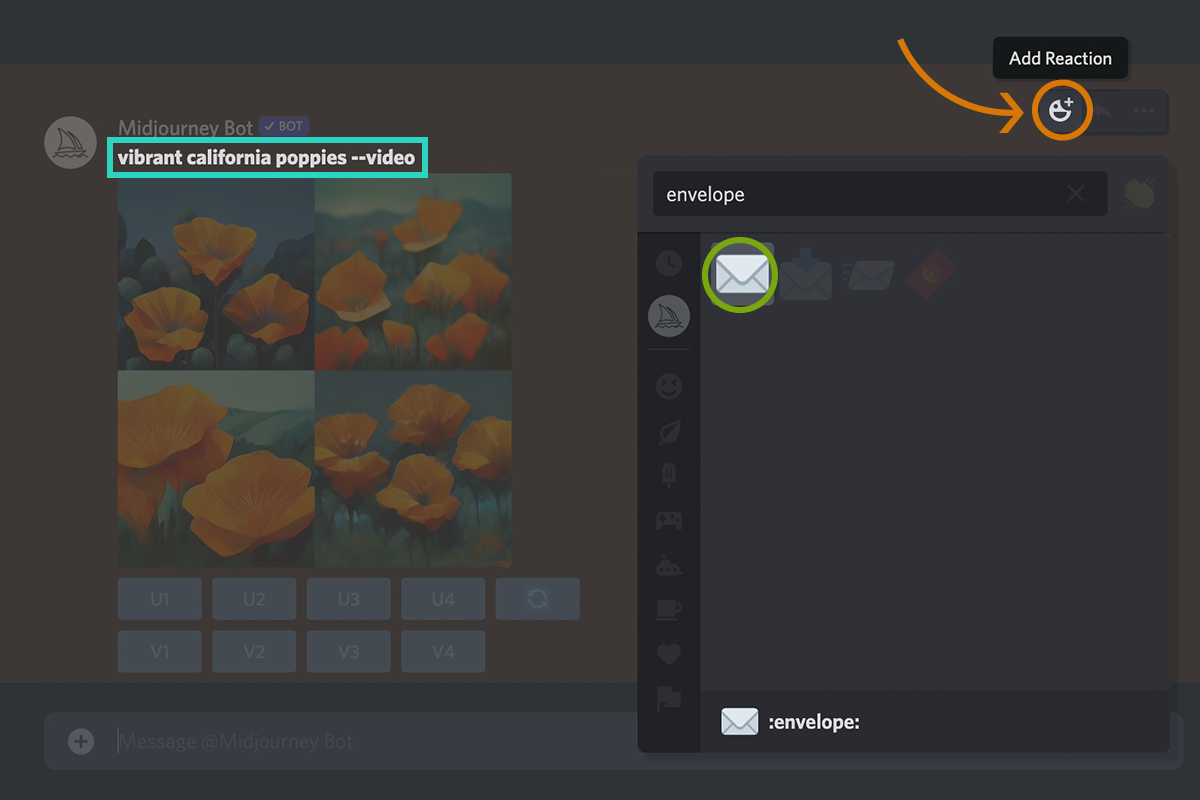
4 The Midjourney bot will send a link to the video to your Direct Messages.
5 Click the link to view your video within a browser. Right-click or Long Press to download the video.
Add --video to the end of your prompt.
